
Enable and Use SalesSignals in Zoho CRM
Here is our approach for enabling and using SalesSignals in Zoho CRM in a simple way.
Even a non-technical person can easily set it up in a few steps.

Approach
We can enable and use SalesSignals in Zoho CRM by following these simple steps.
1. Enable and Use SalesSignals
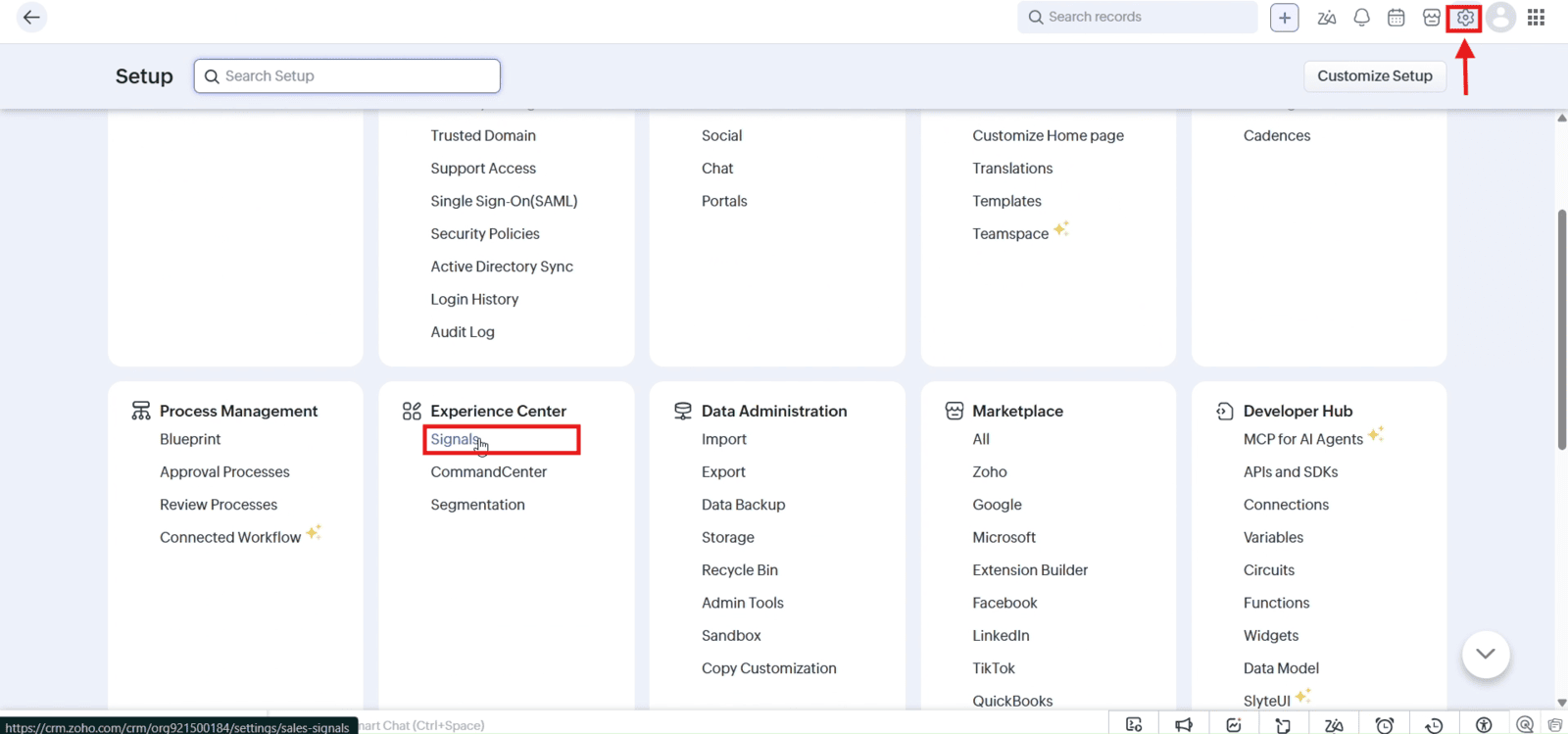
1.1 Navigate to "Setup" and click "Signals" under Experience Center
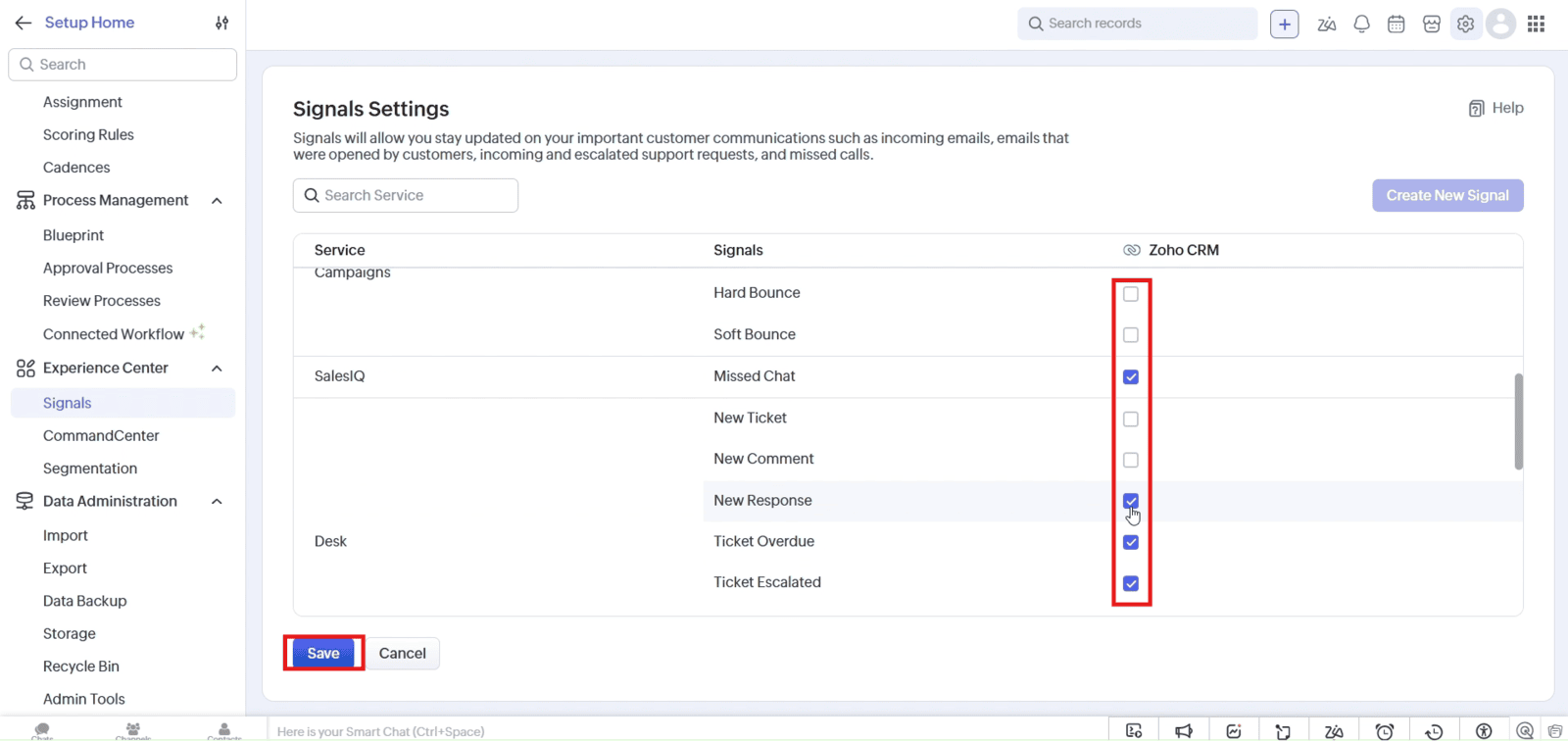
1.2 Select the required notifications and click "Save"
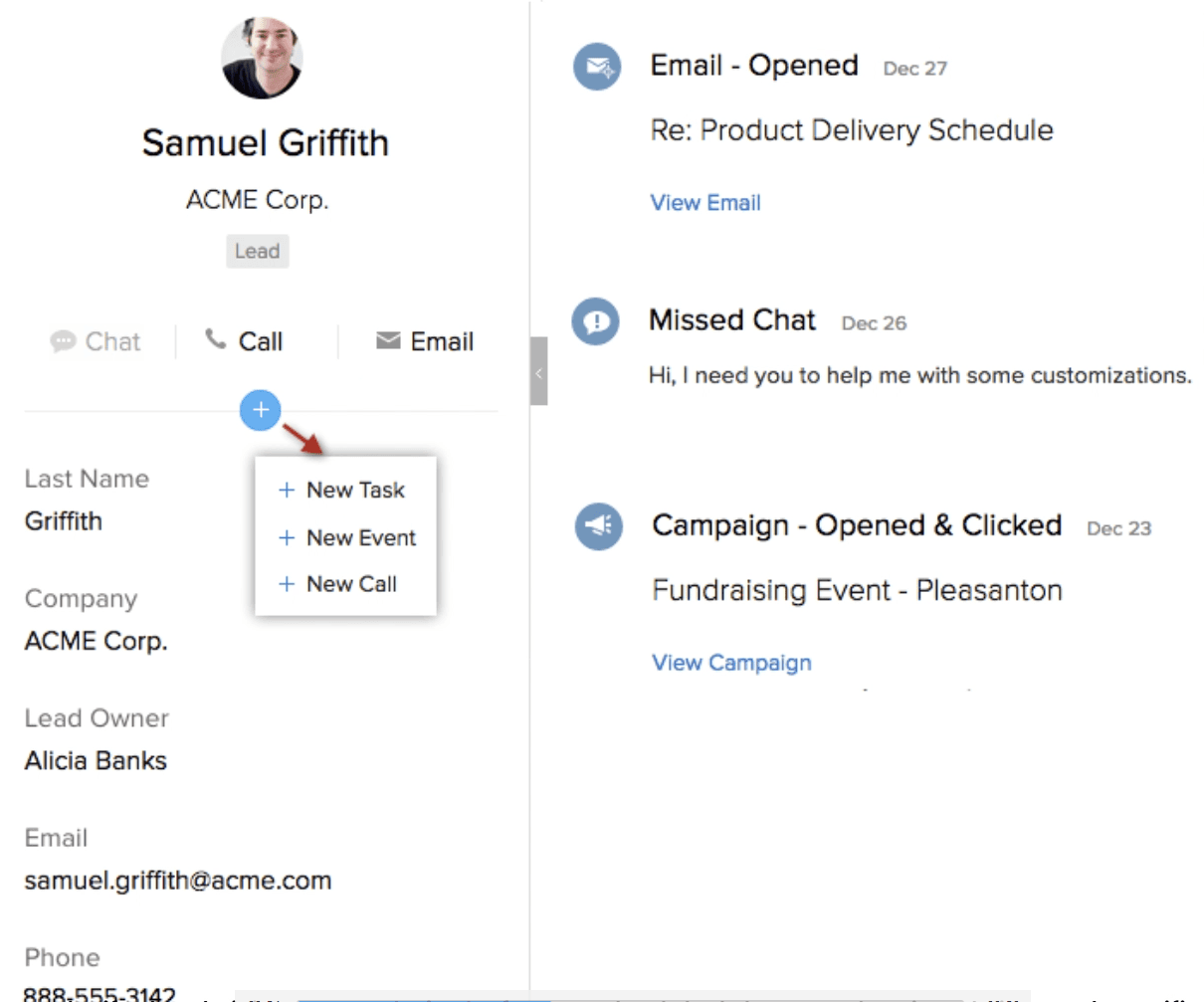
1.3 Open notifications to view SalesSignals notifications and track customer interactions
Video: Enable and Use SalesSignals in Zoho CRM
Here is the video explanation of the above steps.


